The Ultimate Guide to Mastering FPS Aiming in 2027: DPI, eDPI, and Crosshair Placement
Your aim is not a talent stat, it is a settings problem plus a habit problem. Fix your sensitivity first by matching a known eDPI and cm/360, then drill crosshair placement at head height before every engagement. Most players who feel “inconsistent” are running mismatched DPI-to-in-game sensitivity and aiming at the floor.
What eDPI and cm/360 actually mean, and why DPI alone tells you nothing
eDPI equals your mouse DPI multiplied by your in-game sensitivity, and cm/360 is how many centimeters of mousepad travel it takes to spin your character a full 360 degrees. DPI by itself is meaningless because every game scales sensitivity differently. eDPI lets you compare across titles; cm/360 lets you compare across your own desk.
Here is the part the game never explains: two players can both run “800 DPI, 1.0 sens” and have completely different real-world aim if their games use different yaw values. That is why serious players quote cm/360. It is a physical distance you can measure with a ruler on your pad, not a number buried in a menu.
eDPI and cm/360 quick-reference table for 2027 shooters
Use this table to translate a target cm/360 into an in-game sensitivity for the most common DPI settings, then fine-tune by feel. The cm/360 values are the ranges players report as comfortable for tracking-heavy versus flick-heavy titles; treat them as starting points, not laws.
| Playstyle / game type | Typical cm/360 range | At 800 DPI (in-game sens) | At 1600 DPI (in-game sens) | Best for |
|---|---|---|---|---|
| Low-sens tactical (Valorant, CS-style) | 40–55 cm | ~0.35–0.48 | ~0.18–0.24 | Precise taps, holding angles |
| Mid-sens hybrid (Apex, arena shooters) | 25–35 cm | ~0.55–0.78 | ~0.28–0.39 | Tracking plus quick turns |
| High-sens flick (fast movement titles) | 15–22 cm | ~0.88–1.30 | ~0.44–0.65 | Close-range duels, big turns |
The exact in-game number depends on each game’s sensitivity scale, so use the table to pick a cm/360 target and then dial the slider until a full swipe across your pad lands roughly on that distance. Community reviews consistently highlight that players who lock one cm/360 across games switch titles with far less aim regression.
How to set your DPI and sensitivity without guessing in 2027
Pick a DPI your mouse sensor handles natively, usually 800 or 1600, then set in-game sensitivity to hit your target cm/360, and never change both at once. Changing DPI and sensitivity together makes every adjustment a blind guess. Lock DPI first, tune sensitivity second, and write the number down.
- Step 1 — Lock DPI. Set 800 or 1600 in your mouse software and leave it. Both are common native steps; avoid oddball values that force interpolation.
- Step 2 — Measure your pad. Note the usable width in centimeters. If your target cm/360 exceeds your pad width, your sensitivity is too low for your desk.
- Step 3 — Set in-game sens. Adjust until a slow, controlled swipe across the pad produces roughly your target cm/360.
- Step 4 — Disable mouse acceleration. Turn off “enhance pointer precision” in Windows and any in-game acceleration. Acceleration destroys muscle memory because the same swipe gives different results at different speeds.
- Step 5 — Freeze it for two weeks. Do not touch sensitivity mid-drill. Consistency beats a “perfect” number you keep changing.
Why crosshair placement beats raw flick speed in almost every duel
Crosshair placement means keeping your reticle at head height and pre-aimed at the angle an enemy will appear from, so the shot requires a small correction instead of a big flick. Players report that pre-aimed kills feel “lucky” to opponents, but they are just geometry. You are removing travel distance from the shot.
When you hit the second phase of a match and start losing duels, the fix is almost never more flicks. It is your reticle drifting to chest or floor height as you move. Watch your own crosshair during a death replay: if it is below the corner before the enemy peeks, the fight was lost before it started.
How to drill head-height crosshair placement in a warmup routine
A placement drill works by walking common angles with your reticle pinned at head height and never letting it dip while you strafe. Do this in a private match or aim trainer for five minutes before queueing. The goal is not speed, it is keeping the reticle glued to the head line through every corner.
- Load a map you know and walk the main angles at half speed.
- Keep the reticle at head height the entire walk, including while strafing.
- Pre-aim each corner before you turn it, not after.
- Reset to head height after every peek; do not let it sag.
- Repeat until the height feels automatic, then add speed.
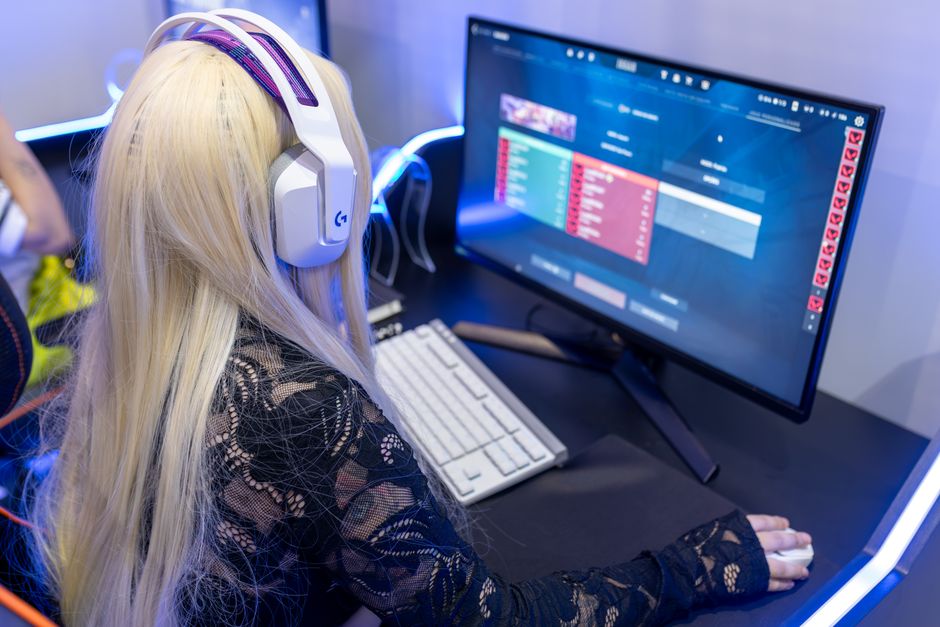
What a practical 15-minute aim routine looks like before you queue
A useful pre-game routine splits into tracking, flicking, and placement, in that order, and stays short enough that you actually do it. Players report that a consistent 15-minute block beats an occasional hour-long session. The routine below targets each aim component separately so weaknesses show up clearly.
- Minutes 1–4, tracking: smooth continuous target tracking to warm the wrist and forearm.
- Minutes 5–9, flicking: short and long flicks to fixed targets, resetting to center each time.
- Minutes 10–13, placement: the head-height walk drill above on a real map.
- Minutes 14–15, micro-adjust: tiny corrections at long range to sharpen fine control.
If you only have five minutes, do the placement walk. It maps directly to the duels you will actually take, and it fixes the most common cause of lost fights.
Which mouse and mousepad specs actually matter for consistent aim in 2027
For aim consistency, the specs that matter are sensor max tracking speed, polling rate, pad surface size, and weight, not RGB or button count. A sensor that tracks cleanly at high speed and a pad wide enough for your cm/360 do more for your aim than any premium feature. Check the manufacturer’s official spec sheet for these numbers before buying.
- Sensor tracking speed: official specs list a max IPS (inches per second) figure; make sure it comfortably exceeds your fastest swipe.
- Polling rate: 1000 Hz is the standard baseline; higher rates exist but require the game and PC to keep up.
- Pad size: your cm/360 should fit within the pad with margin, or you will run out of desk mid-flick.
- Weight: lighter mice reduce fatigue over long sessions; there is no single correct number, only what you can control.
Cross-check any claim against the vendor’s own product page rather than a random forum post. Official spec sheets are the only numbers worth trusting when you are comparing two mice on paper.
Frequently asked questions about FPS aiming, DPI, and crosshair placement
Is higher DPI better for aim?
Higher DPI is not automatically better; what matters is the cm/360 your DPI and sensitivity combine to produce. Many players settle on 800 or 1600 DPI because those are clean native steps. The right DPI is the one that lets you hit your target cm/360 with a sensitivity slider you can fine-tune.
Should I use the same sensitivity in every game?
Yes, matching cm/360 across games preserves muscle memory, even though the in-game sensitivity numbers will differ. Because each title scales sensitivity differently, convert your target cm/360 into each game’s slider rather than copying the raw number. Players report far less aim regression when they keep cm/360 constant across titles.
How long does it take to build consistent aim?
Consistent aim comes from repetition with a fixed sensitivity, so expect weeks of short daily drills rather than days. The biggest early gains come from locking your settings and drilling crosshair placement, not from chasing a new mouse. Change one variable at a time and give each change time to stick.
The bottom line on mastering FPS aim in 2027
Lock a DPI, convert your target cm/360 into each game’s sensitivity, kill mouse acceleration, and drill head-height crosshair placement before every session. Your aim improves when your settings stop moving and your reticle stops sagging. Fix the geometry first, then let repetition do the rest.
For the official reference, see Steam.
You might also find this useful: Never Grave: The Witch and The Curse Is Making the Leap to Mobile Devices.
We covered a related angle here: Unicorn Overlord director unveils new fantasy IP IGNISPHERE and action RPG DAWNGAZER.